Claude Code Alternatives: Best AI Coding Tools Compared (2026)
Looking for a Claude Code alternative? Compare Cursor, Codex, Copilot, Devin, and 5 more AI coding tools on features, pricing, and real use cases.
PromptsBuddy
Editorial
Claude Code can handle everything from fixing bugs to editing files and running tests, but its pricing, model restrictions, and terminal-first workflow may not suit every developer. Some prefer working inside an IDE, while others want more control over AI models, usage costs, or how agents modify their code.
Codex, Cursor, OpenCode, and GitHub Copilot are among the strongest Claude Code alternatives, but each serves a different purpose. Codex offers a similar agent-based coding workflow, Cursor focuses on IDE-based development, OpenCode supports multiple model providers, and GitHub Copilot fits teams already working with GitHub.
This guide compares 9 Claude Code alternatives in 2026, covering their features, advantages, limitations, pricing, and ideal use cases to help you choose the right tool for your development workflow.
Why Developers Look for Claude Code Alternatives
Claude Code is a capable AI coding agent, but it may not fit every developer's budget, workflow, or technical requirements. Some developers want more control over the models they use, while others prefer an IDE-based experience or an open-source tool they can customize.
Here are the main reasons developers consider Claude Code alternatives:
Pricing and Usage Limits: Subscription costs and usage restrictions can become a concern, especially for developers running coding agents throughout the day. Some alternatives offer free tiers, pay-as-you-go pricing, or bring-your-own-key (BYOK) options.
Model Flexibility: Developers may want to switch between Claude, GPT, Gemini, and open-source models based on coding performance, speed, or cost instead of relying on one model provider.
IDE Integration: Not everyone prefers working in a terminal. Some developers want AI assistance directly inside VS Code or another editor, with visual diffs, inline suggestions, and easier code review.
Open-Source Control: Open-source alternatives provide greater visibility into how the coding agent works. Developers can inspect the code, modify its behavior, and configure it for their workflows.
Local Model Support: Developers working with sensitive code or limited internet access may prefer tools that support locally hosted models. However, local execution alone does not guarantee data privacy.
Customization and Extensibility: Some projects require custom instructions, reusable skills, MCP integrations, or connections to development tools. The available customization options can influence which agent works best.
Team and Ecosystem Compatibility: Teams already using GitHub, Google Cloud, or specific development environments may prefer an AI coding tool that fits their existing infrastructure, permissions, and workflows.
The best Claude Code alternative depends on what you want to change. If cost is the main concern, pricing and usage limits matter most. If you prefer working inside an editor, IDE integration becomes more important. For developers who want greater control, open-source tools and model flexibility may be deciding factors.
Evaluation Criteria and Testing Process
To compare Claude Code alternatives fairly, we used a consistent evaluation framework focused on real software development tasks. The goal was to assess how each tool handles coding work, not simply compare its advertised features.
Test Environment
A fair comparison requires each tool to work under similar conditions. The testing setup should record the operating system, programming language, repository, AI model, tool version, and subscription plan used.
Where possible, tools should work on the same repository with identical instructions. Any differences in model access, configuration, or usage limits should be documented because they can affect the results.
Coding Tasks
The evaluation covers five common development tasks:
Codebase Understanding: Analyze an unfamiliar repository and explain its structure and key components.
Bug Fixing: Identify and fix a reported issue without introducing new errors.
Feature Development: Implement a small feature that requires changes across multiple files.
Code Refactoring: Improve existing code while preserving its original functionality.
Test Generation: Write unit tests covering expected behavior, edge cases, and error handling.
These tasks help assess how well each alternative understands existing code, makes changes, follows instructions, and validates its work.
Evaluation Criteria
Each alternative is assessed across six factors:
Code Quality: Correctness, readability, and maintainability of the generated code.
Repository Understanding: Ability to work with existing files, dependencies, and project structure.
Task Completion: Ability to finish multi-step coding tasks with minimal intervention.
Developer Control: Visibility into file changes, terminal commands, and approval options.
Model Flexibility: Support for different AI models and providers.
Pricing and Usage: Subscription costs, usage restrictions, and additional API expenses.
Testing Limitations
Coding-agent performance can vary depending on the programming language, repository size, selected model, and task complexity. Results from a small development project may not reflect performance on large enterprise codebases.
This comparison also does not establish enterprise security, compliance, or long-term reliability. Features and pricing are considered separately from hands-on performance, and documentation-based findings should not be presented as direct test results.
Quick Glance
Cursor: The closest thing to a default AI-native IDE, now bundled with Grok and X features under new ownership.
Codex: OpenAI's coding agent that rides on your existing ChatGPT subscription.
OpenCode: Free, open-source, and model-agnostic across 75-plus providers.
Devin (Devin Desktop): The most autonomous option, handing off whole tasks instead of step-by-step edits.
GitHub Copilot: The agent that lives where your repos already do.
Antigravity: Google's multi-agent platform for supervising several AI workers in parallel.
Goose: Block's open-source terminal agent built for real engineers before it was open-sourced.
Aider: The zero-markup, Git-native terminal agent with no platform fee at all.
Cline: The human-in-the-loop extension that asks before it acts.
Best Claude Code Alternatives
Here are nine tools worth your attention right now, ranging from IDE-native editors to terminal agents to fully autonomous options. Each one solves a slightly different version of "I want AI to help me code," so it's worth knowing what each is actually built for before you pick one.
1. Cursor
Cursor is a fork of VS Code with AI stitched into nearly every part of the editing experience, not bolted on as a sidebar. It indexes your whole codebase so it can answer questions and make edits with real context instead of just the open file. Cursor's growth has been hard to ignore, and in 2026 its parent company Anysphere was acquired, which is why its pricing now runs through a merged subscription that also covers Grok and X features rather than standing alone. The coding features themselves (Agent, cloud agents, code review) are unchanged for developers.
Main Features:
Deep codebase indexing for context-aware chat and edits
Agent mode for multi-file changes and autonomous task execution
Cloud agents and automations for longer-running tasks
Built-in AI code review (Bugbot) and code hosting (Origin)
Access to multiple model providers, with Grok bundled into every paid tier
Marketplace for internal rules, skills, and plugins (Teams and up)
Advantages:
Familiar VS Code interface with a near-zero learning curve for existing users
Strong, continuously updated codebase context
Visual diffs make reviewing agent changes faster than scanning terminal output
Active development and frequent feature releases
Disadvantages:
Pricing is now bundled with non-coding features (Grok Chat, Imagine, X perks), which muddies the value for developers who only want the editor
Third-party model usage is billed separately from the subscription
Ownership change in 2026 adds some uncertainty to long-term product direction
Pricing:
Free ($0/month): limited agent and chat requests
Plus ($8/month): entry plan, Grok models only
Premium ($30/month): most popular; includes Cursor Agent, cloud agents, Bugbot, Origin, and third-party models at API price
Super ($100/month): 15x more usage than Plus
Ultra ($200/month): 50x more usage than Plus, earliest access to new features
Teams: starts at $30+/user/month
Enterprise: custom pricing
Best For: Developers who want AI woven into daily editing in a familiar IDE, with the heaviest agent features unlocked from the Premium tier up. Less ideal if you want a lean, coding-only subscription.
2. Codex
Codex is OpenAI's answer to Claude Code: available through the ChatGPT app, a CLI, a VS Code extension, and an SDK, all running on the same underlying agent. It reads your repo, proposes edits, runs commands in a sandbox, and checks its own work before applying changes. Because it rides on your ChatGPT subscription, it's one of the easiest alternatives to try if you already pay for ChatGPT Plus or Pro.
Main Features:
Codex available on web, CLI, IDE extension, and mobile
Cloud-based integrations, including automatic GitHub PR review and Slack
Scheduled and repeatable tasks, plus built-in Git worktree support
Sandboxing and permission controls for safer autonomous runs
MCP support, custom skills, and subagents
Built-in browser preview for verifying frontend changes
Advantages:
No separate subscription needed if you already use ChatGPT
Flexible access points: desktop, CLI, IDE, or mobile for remote control
Enterprise tier adds audit logs, SCIM, and data residency controls
Backed by OpenAI's fast model release cadence
Disadvantages:
Usage limits are measured in tokens/credits that are genuinely hard to estimate in advance
Heaviest local workflows need a Pro-tier plan ($100+) to avoid hitting limits
If you're committed to Claude's models for quality reasons, switching means giving that up
Pricing:
Free ($0/month): limited model access
Go ($8/month): lightweight coding tasks
Plus ($20/month): Codex on web, CLI, IDE, and mobile, with flexible credit top-ups
Pro (from $100/month): plans at $100, $200, or $500 for higher usage ceilings
Business: $20/user/month (2+ seats, billed annually; $25/month billed monthly)
Enterprise & Edu: custom pricing
API key: pay-per-token at standard OpenAI API rates
Best For: Anyone already paying for ChatGPT who wants that subscription to double as a coding agent, especially if they also want a desktop/mobile/browser workflow, not just a terminal.
3. OpenCode
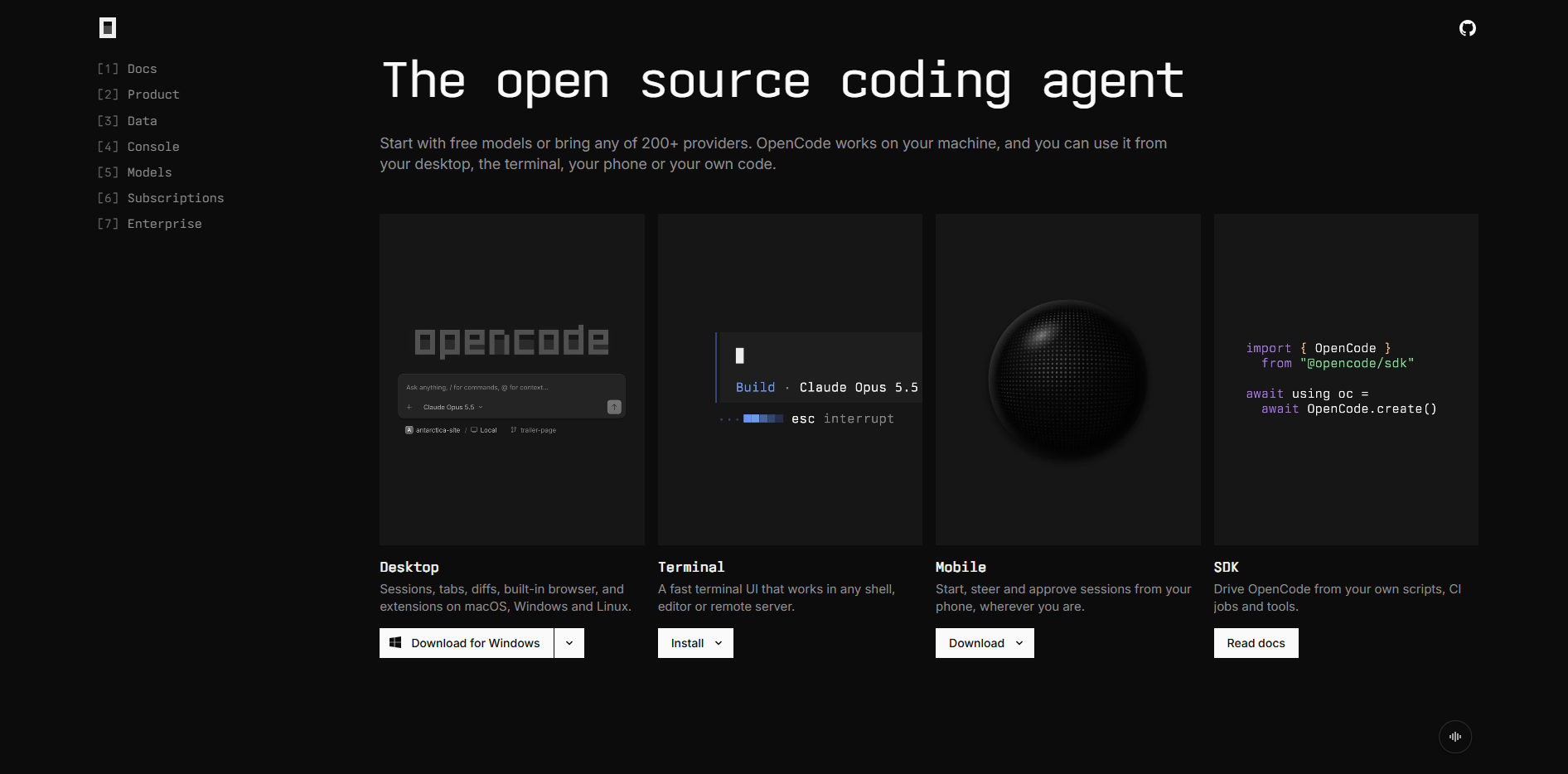
OpenCode is an open-source, terminal-first agent that works with practically any model provider, Anthropic, OpenAI, Google, or local models, across dozens of providers. It's model-agnostic by design, so switching from Claude to GPT to a local model is a config change, not a new tool. The core CLI is free, and OpenCode layers optional paid access on top for people who'd rather not manage their API keys.
Main Features:
Terminal-first interactive agent, plus desktop and IDE surfaces
Bring-your-own-key support for 75-plus model providers
OpenCode Go offers prepaid access to a selected range of AI models.
Pay-as-you-go model gateway with no markup on requests
Works alongside existing GitHub Copilot or ChatGPT logins
Open-source codebase you can inspect, fork, or self-host
Advantages:
Genuinely free core product with full control over model choice
No vendor lock-in; swap models per task without switching tools
Transparent, published token-based pricing for the optional paid tiers
Strong fit for teams that want an internal AI gateway
Disadvantages:
You're assembling your own workflow rather than getting one polished, opinionated experience
Paid tier naming and limits have changed more than once in 2026, so double-check current terms
Less hand-holding out of the box than a commercial IDE
Pricing:
Core CLI: free and open source (bring your own API key)
Pay-as-you-go model gateway: prepaid balance, no markup on model requests
OpenCode Go: Affordable model access for around $10/month.
Team plans: per-member pricing for shared workspace billing
Enterprise: custom, self-hosted gateway option
Best For: Developers who want to try different models for different tasks without leaving their terminal, and teams that want a free, auditable agent they can wire into their infrastructure.
4. Devin (Devin Desktop)
Devin is Cognition's fully autonomous coding agent, and in 2026 it absorbed Windsurf's editor to become "Devin Desktop," the local front end for the same product line as Devin's cloud agent. Hand it a well-scoped task and it plans, codes, and tests largely on its own, whether that's running in the desktop IDE or entirely in the cloud. It's the most hands-off option on this list by design.
Main Features:
Autonomous planning, coding, and testing with minimal step-by-step input
Devin Desktop IDE (formerly Windsurf) with the Cascade agent for local work
Devin Cloud for background, non-interactive sessions
Unified plan across desktop and cloud agent usage
Daily and weekly usage quotas instead of opaque credits
API access on higher tiers for programmatic task delegation
Advantages:
The most autonomous workflow of any tool on this list; genuinely hands-off for well-defined tasks
One subscription covers both the local editor and cloud agent work
Usage quotas are now published in plain daily/weekly terms rather than hidden credit math
Backed by a team singularly focused on autonomy, not retrofitted from a chat assistant
Disadvantages:
Less reviewable step-by-step than tools built around visible diffs
Higher tiers (Max) are priced for heavy, continuous use, not casual sessions
The Windsurf-to-Devin Desktop transition is recent, so documentation and community resources are still catching up
Pricing:
Free ($0/month): light daily/weekly quota, unlimited inline edits and Tab completions
Pro ($20/month): increased quotas, full model availability (OpenAI, Claude, Gemini)
Teams ($80/month minimum, plus $40/month per full dev seat): centralized billing, admin dashboard, zero data retention
Max ($200/month): significantly higher quotas, priority support
Enterprise: custom billing agreements
Best For: Developers and teams who want to hand off well-scoped tasks entirely and walk away, rather than pair-program with the agent step by step.
5. GitHub Copilot
Copilot has outgrown its old "autocomplete on steroids" reputation. It's now a full coding agent that can open a GitHub issue, draft a pull request, and run checks on its own, and it supports multiple underlying models, including Claude's Opus models, not just OpenAI's. For teams already living inside GitHub, it's the alternative that removes a tool from the stack instead of adding one.
Main Features:
Code completions and chat across supported IDEs
Agent mode for multi-step, multi-file changes
Copilot CLI for terminal-based agentic workflows
Automatic PR review and issue-to-PR task handling on GitHub.com
Model choice across OpenAI, Anthropic, and Google models
Enterprise admin controls: SCIM, audit logs, and no training on business data by default
Advantages:
Already integrated into the platform most teams use for version control
Issue-to-PR workflow saves real coordination time
Model flexibility without needing separate provider accounts
Enterprise-grade governance available out of the box
Disadvantages:
Usage is metered in "AI credits," which takes some getting used to if you're coming from flat-rate tools
Deepest value depends on your team already living in GitHub
Free tier is genuinely limited for anything beyond light completions
Pricing:
Free ($0/month): limited completions and an allowance of AI credits
Pro ($10/month): full completions, access to premium models
Pro+ ($39/month): higher AI credit allowance (7,000/month), priority premium model access
Business ($19/user/month): team management, policy controls (self-serve sign-up for orgs on GitHub Free/Team is currently paused; GitHub is transitioning some customers to a newer "Copilot access" model instead)
Enterprise ($39/user/month): 3,900 credits/user, codebase indexing, deeper GitHub.com integration
Max ($100/month): built for heavy, sustained agent usage (20,000 AI credits/month)
Best For: Teams already standardized on GitHub who want agentic coding without adding a separate vendor relationship.
6. Antigravity
Antigravity is Google's agent-first coding platform, and it works differently from most tools on this list: instead of driving one agent through one file at a time, you manage several agents working in parallel, each with its own task, and review their work through recorded "artifacts" rather than watching every keystroke. It ships as a desktop app, a CLI, and an SDK, and it replaced Gemini CLI, which Google retired for individual accounts in mid-2026.
Main Features:
Multi-agent orchestration with parallel, independently tracked tasks
Artifacts and Verifications for reviewing agent work without a live walkthrough
Browser Subagent that clicks through your web app as it's built, to catch visual bugs
Desktop app, CLI, and SDK built around Google's Gemini models
Carried-over Gemini CLI features: Agent Skills, Hooks, and Subagents
Integration with Google AI Studio, Android, and Firebase workflows
Advantages:
Genuinely novel workflow for supervising multiple agents at once
Generous free tier with unlimited tab completions for individuals
Browser-level verification is a feature few competitors match natively
Backed by Google's own frontier Gemini models at a lower relative cost than some rivals
Disadvantages:
The "review traces instead of live edits" workflow takes real adjustment if you're used to Claude Code or Cursor's style
It's a young, fast-changing product; expect frequent pricing and feature shifts
Using non-Gemini models (like Claude) inside Antigravity can add significant extra cost on top of the subscription
Pricing:
Individuals ($0/month): unlimited Tab completions, unlimited command requests, basic weekly rate limits
Google AI Pro: unlocks higher rate limits and a flexible AI credit pool; priced as part of Google's AI subscription (Antigravity's own pricing page links out to it rather than listing a dollar figure directly)
Google AI Ultra: even higher rate limits and credit pool than Pro; also priced through Google's AI subscription rather than stated on this page
Business via Google Cloud: Gemini Enterprise Standard/Plus plans starting at $30/seat/month, or a pay-as-you-go option with a $0 seat fee and consumption-based pricing
Best For: Developers comfortable supervising multiple agents at once instead of pair-programming with a single one, especially for frontend-heavy projects where browser verification matters.
7. Goose
Goose is an open-source terminal agent built by Block (the company behind Square and Cash App), and it's model-agnostic in the same spirit as OpenCode and Aider: point it at Anthropic, OpenAI, Google, or whichever provider you prefer, and pay only for the model calls you make. It extends through the Model Context Protocol, so teams plug it into internal APIs and tools without touching the agent's core code. Block built it for their engineers first and open-sourced it afterward.
Main Features:
Terminal-based agent for multi-file edits, shell execution, and task automation
Works with 25-plus model providers and 400-plus models via OpenRouter
Extensible through MCP for custom internal tool integration
Git-native workflow with session resume support
Available as a CLI and, increasingly, through IDE integrations (Cursor, VS Code, JetBrains)
Fully open source under the Apache-2.0 license
Advantages:
Completely free core product with no vendor markup
True model flexibility without being tied to any single provider's roadmap
Strong extension ecosystem built around MCP
Built and battle-tested internally at a real engineering organization before release
Disadvantages:
No bundled subscription option; you manage your own API keys and costs
Smaller community and less polish than commercial alternatives
Documentation and extension quality vary since much of it is community-contributed
Pricing:
Core CLI: free and open source (Apache-2.0)
Model usage: billed directly by whichever provider you connect (BYOK)
No official paid tier or subscription from Block itself
Best For: Developers who want an open-source agent with real MCP extensibility, no vendor lock-in, and full control over which models they pay for.
8. Aider
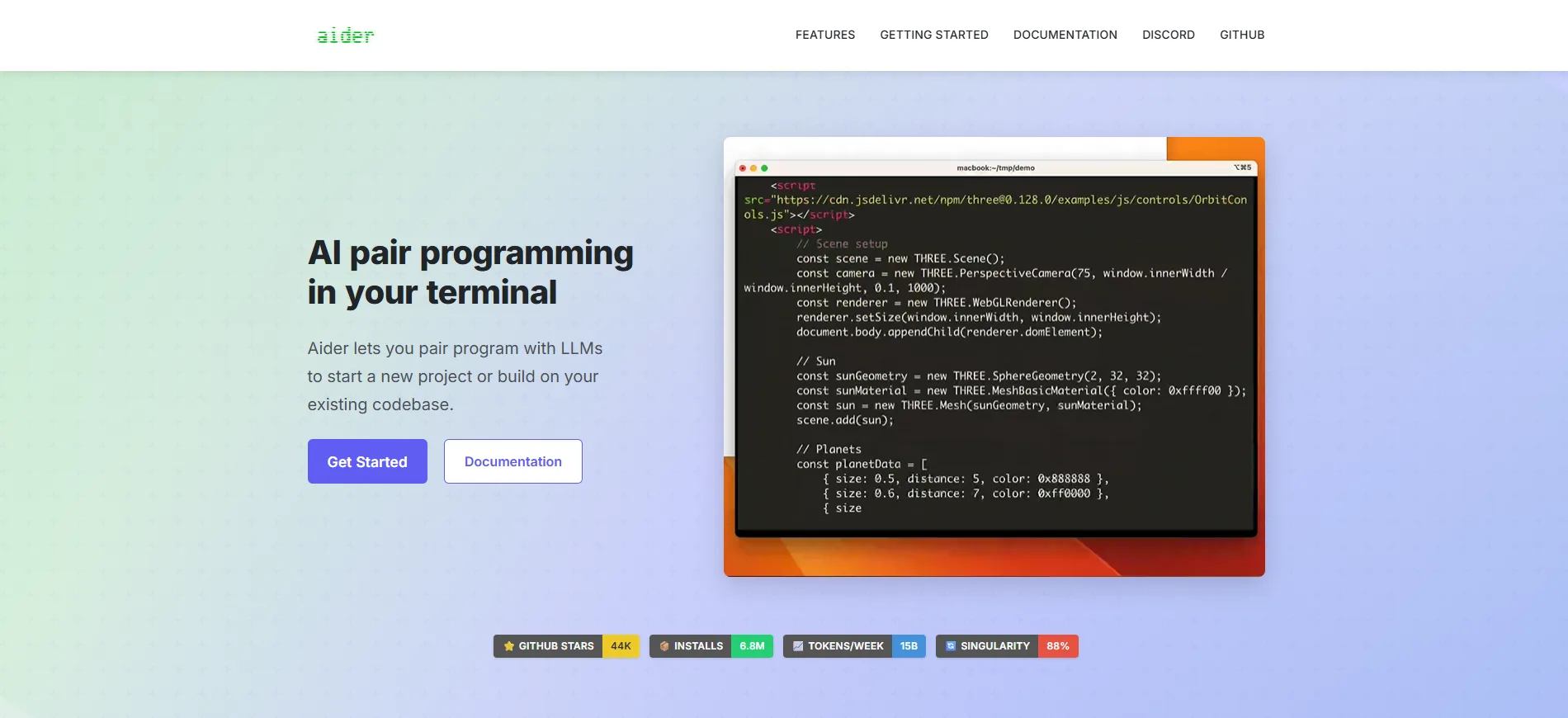
Aider is one of the older names in this space and still one of the cleanest open-source, terminal-first options. It's BYOK, meaning you plug in your API key for whichever model you want, and you only pay that provider's standard rate. It builds a repo map using tree-sitter and auto-commits every AI-made change to Git, so every edit is transparent and reversible.
Main Features:
Terminal-first chat and edit workflow with automatic Git commits per change
Repo mapping via tree-sitter for better context on larger codebases
Works with any model that supports tool use or chat completion
Diff-based editing with clear before/after visibility in the terminal
Voice-to-code support and image input for some workflows
Fully scriptable for CI or batch-style usage
Advantages:
Zero platform markup; you only ever pay standard API rates
Git-native by default, so every change is tracked and easy to roll back
Lightweight and fast to set up compared to full IDE installs
Long track record and an active, transparent open-source community
Disadvantages:
No bundled subscription or managed plan; you're responsible for your own API costs and keys
No visual diff viewer built in beyond terminal output
Less feature-rich than newer agents when this comes to things like built-in browser testing or multi-agent orchestration
Pricing:
Aider itself: free and open source
Model usage: billed directly by your chosen provider (Anthropic, OpenAI, etc.) at standard API rates
No official paid tier from the Aider project itself
Best For: Developers who want zero platform markup, full control over which model runs their edits, and a transparent Git history of everything the agent touched.
9. Cline
Cline actually started life as a fork called "Claude Dev" before growing into its own agent, available as a VS Code and JetBrains extension. It's built around a human-in-the-loop style: it shows you what it wants to do before doing it, which some developers trust more than a fully autonomous agent. It's picked up well over a million VS Code Marketplace installs along the way.
Main Features:
Plan-then-execute workflow with explicit approval before file changes
Available as both a VS Code and JetBrains extension
BYOK support across major model providers
Transparent diff review before any change is applied
MCP support for connecting to external tools and data sources
Checkpoints to roll back to any earlier point in a session
Advantages:
The approve-before-acting model builds trust for riskier or unfamiliar codebases
No subscription fee; you only pay for the model calls you make
Large, active community and plugin ecosystem (nearly 60,000 GitHub stars)
Works inside editors most developers already have installed
Disadvantages:
The extra confirmation step slows you down compared to fully autonomous tools
You're managing your own API keys and provider costs
Being an extension rather than a standalone product means it's bound by your IDE's capabilities
Pricing:
Cline extension: free and open source
Model usage: billed directly by your chosen provider (BYOK)
No official paid tier or managed subscription from the Cline project itself
Best For: Developers who want an agent that asks before it acts, not after, especially when working in an unfamiliar or high-stakes codebase.
Side-by-Side Comparison
Claude Code sits in the first column as the baseline, since every tool in this guide is being measured against it.
Comparison Basis | Claude Code (baseline) | Cursor | Codex | OpenCode | Devin (Devin Desktop) | GitHub Copilot | Antigravity | Goose | Aider | Cline |
|---|---|---|---|---|---|---|---|---|---|---|
Coding Interface & Workflow | Terminal-first CLI, no built-in GUI diff viewer | VS Code fork, inline agent chat | CLI, IDE extension, web, mobile | Terminal, desktop, IDE | Desktop IDE + cloud agent | IDE extension, CLI, GitHub.com | Desktop app with multi-agent view | Terminal CLI | Terminal CLI | VS Code / JetBrains extension |
Agent Capabilities & Autonomy | Strong single-agent autonomy, reads/edits/runs commands directly | Agent mode, cloud agents | Autonomous local and cloud tasks | Agentic CLI, config-driven | Fully autonomous, minimal input needed | Agent mode, issue-to-PR automation | Parallel, multi-agent orchestration | Agentic with MCP-based extensions | Semi-autonomous, chat-driven edits | Human-in-the-loop, approval-gated |
Codebase Context & Understanding | Full repo-aware context via CLAUDE.md and project scanning | Full codebase indexing | Repo-aware via AGENTS.md | Repo-aware, provider-agnostic | DeepWiki and codebase mapping | Codebase indexing (Enterprise tier) | Artifact-based task tracing | MCP-based context extensions | tree-sitter repo map | File-level context, MCP support |
Model Support & Flexibility | Claude models only (Opus, Sonnet); no third-party models | Grok bundled; others at API price | GPT-6 model family only | 75+ providers, fully model-agnostic | Claude, GPT, and Gemini | OpenAI, Anthropic, and Google models | Gemini-first; other models cost extra | 25+ providers, 400+ models via OpenRouter | Any model via your own API key | Any model via your own API key |
Developer Tools & Integrations | MCP support, Hooks, Subagents, Git-native workflow | Bugbot, Origin, MCP, marketplace | GitHub, Slack, Linear | MCP, reuses Copilot/ChatGPT logins | Slack, GitHub, API access | Native GitHub integration, CLI | AI Studio, Android, Firebase | MCP extensions | Git-native, scriptable for CI | MCP support |
Control, Review & Safety | Permission prompts before file edits or command execution | Visual diffs, AI code review (Bugbot) | Sandboxing, approval prompts | Manual review, full BYOK control | Review via artifacts and session traces | Pull-request based review flow | Verifications, browser subagent checks | Manual terminal-based review | Auto Git commits, diff review | Explicit approval before any edit |
Advanced Coding Features | Custom Skills, Hooks, Subagents, scriptable automation | Cloud automations, AI code review | Browser preview, scheduled tasks | Pay-as-you-go model gateway | Cloud background sessions | Issue-to-PR automation | Browser Subagent, parallel agent runs | GitHub Action integration | Voice-to-code, image input | Session checkpoints and rollback |
Open Source & Customization | CLI client is open source; underlying model is closed | Proprietary | CLI is open source; core is closed | Fully open source | Proprietary | Proprietary | Proprietary | Fully open source (Apache-2.0) | Fully open source | Fully open source |
Pricing & Usage Limits | No standalone purchase; bundled into Pro ($20/mo), Max 5x ($100/mo), Max 20x ($200/mo) | Free–$200/mo, pooled usage | Free–$500/mo, credit-based | Free (BYOK), paid tier from ~$10/mo | Free–$200/mo, daily/weekly quota | Free–$100/mo, AI-credit based | Free individual tier; Pro/Ultra via Google AI subscription; Business from $30/seat/mo | Free, BYOK only | Free, BYOK only | Free, BYOK only |
Treat every cell above as a direction, not a quote. Pricing, limits, and even ownership shift often enough in this category that the official page is always the final word.
Choosing the Best Claude Code Alternative
The right Claude Code alternative depends on what you want to change about your current coding workflow. Some tools focus on terminal-based development, while others provide visual editing, model flexibility, or greater control over AI-generated changes.
Here's how to narrow down your options:
For an IDE-based workflow, choose Cursor. It works well for developers who prefer writing, reviewing, and editing code in one interface, with codebase-aware assistance and visual diffs.
For a terminal-first coding agent, choose Codex. It offers a workflow similar to Claude Code, with repository analysis, file editing, command execution, and task automation.
For model flexibility, choose OpenCode. Its open-source architecture and support for multiple model providers make it suitable for developers who want to switch models without changing their coding tool.
For autonomous development, consider Devin. It focuses on completing well-defined coding tasks with less step-by-step involvement, making it useful for delegating larger development tasks.
For GitHub-based teams, choose GitHub Copilot. Its integration with repositories, pull requests, and development workflows makes it a practical option for teams already using GitHub.
For parallel AI coding tasks, consider Antigravity. Its multi-agent approach suits developers who want to assign separate tasks to AI agents and review their progress.
For open-source customization, choose Goose. It supports different model providers and MCP extensions, making it suitable for developers building custom coding workflows.
For Git-based code editing, choose Aider. Its terminal interface, repository mapping, and automatic Git commits make AI-generated changes easier to track and reverse.
For greater control over changes, choose Cline. Its approval-based workflow allows developers to review proposed file edits and commands before execution.
Before switching, try two or three alternatives on the same repository and coding task. Compare the quality of their changes, the amount of manual correction required, and the total usage cost. A tool that performs well in a demonstration may behave differently with your actual codebase.
Conclusion
Several Claude Code alternatives offer strong coding capabilities, but each serves a different need. Codex is a suitable option for terminal-based development, Cursor works well for IDE-based coding, and OpenCode suits developers who want flexibility in choosing AI models. GitHub Copilot is a practical choice for GitHub-based teams, while Cline offers more control over code changes and approvals.
When choosing an alternative, consider your development environment, budget, model preferences, and required level of automation. Shortlist a few tools and test them on your existing projects to compare code quality, task completion, and usage costs. This will help you select an option that fits your daily development work.