Grok Alternatives: AI Tools for Research, Writing and Image Creation
Compare 7 top Grok alternatives, including Claude, ChatGPT, Gemini, DeepSeek, Perplexity, Copilot, and Meta AI, for research, writing, and image creation.
PromptsBuddy
Editorial
Grok can handle research, writing, and image generation, but its strengths may not match everyone's needs. Some users want more reliable sources, better writing control, or more flexible image editing. Others are looking for affordable options with fewer usage restrictions.
Several Grok alternatives are worth considering. Perplexity focuses on source-backed research; Claude is a strong choice for long-form writing, while ChatGPT and Gemini offer a wider range of features, including image creation.
This article compares seven Grok alternatives based on their features, strengths, limitations, and pricing. Whether you need a tool for one specific task or an all-in-one AI assistant, this comparison will help you find an option that fits your work.
Why Are People Looking for Grok Alternatives?
Grok offers AI-powered research, writing, and image generation, but it may not be the best fit for every task. Some users need more detailed research with reliable citations, while others prefer better writing control, image editing, or integration with their existing tools.
Here are some common reasons people consider Grok alternatives:
Research Accuracy: Users may prefer tools that provide clear citations, reliable sources, and easier fact-checking.
Writing Quality: Writers often need greater control over tone, structure, and editing without repetitive or generic responses.
Image Creation: Designers and marketers may want more precise image editing, consistent visuals, and better text rendering.
Pricing and Usage Limits: Subscription costs, message limits, and access to advanced features can influence which AI tool users choose.
App Integrations: Users working with Google Workspace, Microsoft 365, or other productivity apps may prefer AI tools that fit their existing workflows.
Privacy and Data Control: Businesses handling sensitive information may prioritize clearer data policies and administrative controls.
Long Document Handling: Researchers and professionals may need tools that can analyze lengthy reports, PDFs, and multiple documents while maintaining context.
Customization Options: Users may want greater control over AI responses, custom instructions, and workflows suited to their specific needs.
Output Consistency: Professionals working on repeated tasks may prefer tools that follow instructions reliably and maintain consistent quality across responses.
People are not always looking to replace Grok completely. They may simply need an AI tool that performs one specific task better or fits their daily workflow more closely.
Evaluation Criteria and Testing Process
To compare Grok alternatives fairly, we focused on three common tasks: research, writing, and image creation. Each tool was evaluated using the same or equivalent prompts, with attention to the quality of its output, ease of use, and limitations.
Research Test
We assessed how well each tool finds, organizes, and explains information. The main factors included:
Source Quality: Whether the information comes from reliable and relevant sources.
Citation Accuracy: Whether links support the claims made in the response.
Information Freshness: How well the tool handles recent developments.
Fact Checking: Whether it distinguishes verified facts from uncertain claims.
Research Clarity: How clearly it organizes findings into useful answers.
Writing Test
We evaluated each tool's ability to create and improve written content using the same instructions. The focus was on:
Instruction Following: How closely the output matches the requested format and requirements.
Writing Quality: Clarity, grammar, readability, and logical flow.
Tone Control: Ability to adjust writing for different audiences.
Editing Accuracy: How well it improves existing content without changing its meaning.
Originality: Whether the writing avoids repetitive phrases and unsupported claims.
Image Creation Test
For tools with image-generation capabilities, we compared how accurately they turned written prompts into visuals. We considered:
Prompt Accuracy: Whether the generated image includes the requested elements.
Visual Quality: Composition, details, lighting, and overall consistency.
Text Rendering: Accuracy and readability of text inside images.
Editing Control: Ability to change specific elements without affecting the entire image.
Consistency: How well the tool maintains the original style across follow-up edits.
These criteria provide a consistent way to identify each tool's strengths and weaknesses. The goal is not to find one AI tool that wins every category, but to understand which Grok alternative is better suited to each task.
Quick Glance
Claude: Best for long-form writing & deep reasoning. No native image generation. Free tier available.
ChatGPT: Best for all-round flexibility, one tool for everything. Image generation included (GPT Image). Free tier available.
Google Gemini: Best for research + images inside Google Workspace. Image generation included (Nano Banana). Free tier available.
DeepSeek: Best for free, high-capability technical work. Basic image generation. Fully free, no paid tier required.
Perplexity: Best for fast, cited research answers. Image generation not a core feature. Free tier available.
Microsoft Copilot: Best for productivity inside Microsoft 365. Image generation included (Designer/DALL·E). Free tier available.
Meta AI: Best for free, casual use right inside social apps. Image generation included ("Imagine"). Fully free.
Best Grok Alternatives for Research, Writing and Images
Here’s a closer look at each of the seven platforms, covering what they do well, where they fall short, and what they cost, so you can match the right tool to the task at hand.
1. Claude
Claude, built by Anthropic, is the AI most writers and analysts reach for when the work actually matters: long reports, careful editing, or reasoning through a messy problem. It's less flashy than some competitors and doesn't try to do everything, but what it does, it does with a notably more natural, less robotic voice. It's also become the backbone of a huge share of professional coding work through Claude Code. The one thing it won't do on its own is generate images.
Features:
Long context window for handling big documents and codebases
Projects, for keeping ongoing work organized with custom instructions
Artifacts, for generating and previewing documents, code, and visuals in one panel
Claude Code for software development work
Web search and real-time file/code execution
Connects into Chrome and Microsoft 365
Pros:
Best in class long-form writing quality
Handles large documents and codebases without losing the thread
Doesn't over-hedge or pad answers with unnecessary disclaimers
Strong, steadily growing reasoning performance
Cons:
No native image generation
Smaller plugin/app ecosystem than ChatGPT
Pricing:
Free: $0/month
Pro: $17/month (billed annually) or $20/month (billed monthly)
Max: $100/month
Ultra: $200/month
Team and Enterprise: custom, seat-based pricing
Best for: Writers, analysts, and developers who need long-form writing or deep reasoning, and don't mind pairing it with a separate tool for images.
2. ChatGPT
ChatGPT, from OpenAI, remains the broadest AI assistant on the market: writing, research, coding, image generation, and voice all sit inside one subscription. It's the tool most people try first, and for good reason: it's flexible enough to handle almost anything you throw at it, even if it isn't always the single best tool at any one specific task. Its Deep Research mode is a genuine standout for long, well-sourced reports.
Features:
Deep Research mode that browses and cross-references dozens of sources
Built-in image generation and conversational image editing
Web browsing with cited sources
Voice mode and multimodal (image/file) understanding
Custom GPTs and a large plugin ecosystem
Memory across conversations
Pros:
Most flexible, all-in-one option on this list
Strong image generation built right into chat
Huge integration and plugin ecosystem
Deep Research produces genuinely thorough, long-form reports
Cons:
Free tier usage limits are fairly tight
Costs climb quickly once you need higher usage (Pro tiers run $100–$200/month)
Pricing:
Free: $0/month, with ads and limited usage
Go: $8/month
Plus: $20/month
Pro: $100/month or $200/month (higher usage tiers)
Business: from $20–$25/user/month
Enterprise: custom pricing
Best for: Anyone who wants one subscription that covers research, writing, and image generation without switching tools.
3. Google Gemini
Google's Gemini is the natural choice if your work already lives in Docs, Sheets, Gmail, or Slides, it plugs straight into that ecosystem instead of asking you to copy-paste between tabs. Its image models, nicknamed "Nano Banana," have become one of the most-praised options around for fast, free, conversational image editing. Paired with NotebookLM, it's also a genuinely strong research tool when you want answers grounded only in your own uploaded sources.
Features:
Deep Research mode within the Gemini app
Nano Banana image generation and conversational editing
NotebookLM for source-locked research and summarization
Native integration across Gmail, Docs, Sheets, and Slides
Large (1M token) context window on paid tiers
Veo video generation on higher plans
Pros:
Excellent, fast, free image generation and editing
Deep, native Google Workspace integration
Strong multimodal support (text, image, video)
Generous free tier for casual use
Cons:
Writing voice can feel less distinctive than Claude's
Plan names and pricing have shifted more than once in 2026, so double-check current tiers
Pricing:
Free: $0/month
Google AI Plus: around $4.99–$7.99/month (varies by region/bundle)
Google AI Pro: $19.99/month
Google AI Ultra: $99.99/month or $199.99/month
Best for: Google Workspace users who want research and image generation built into the apps they already use daily.
4. DeepSeek
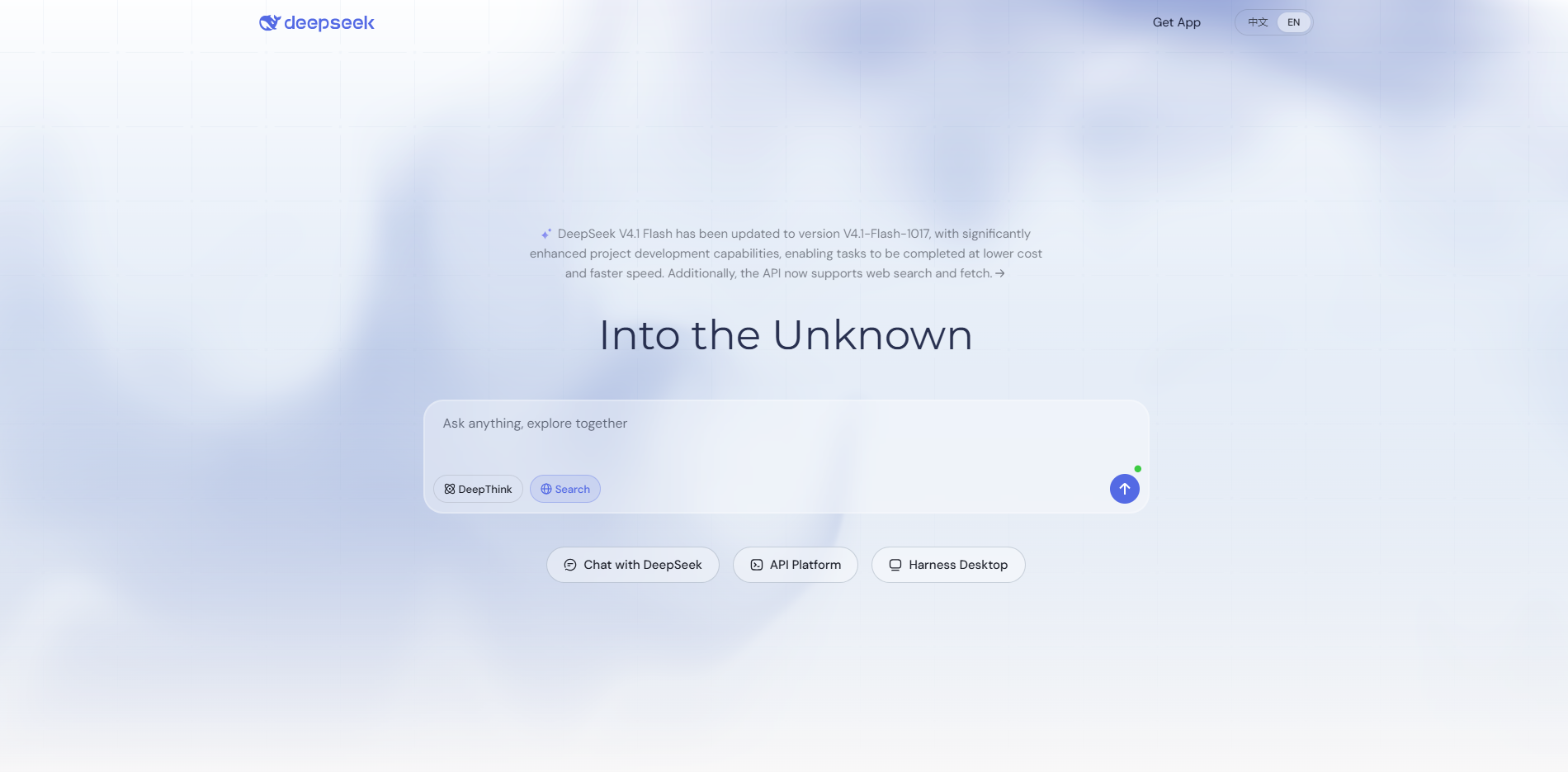
DeepSeek is the tool to use if budget is the deciding factor. The Chinese AI lab offers a genuinely capable chat model with no signup required and no paid consumer tier at all, a rarity in this list. It won't out-write Claude or out-polish ChatGPT, but for research, coding, and everyday drafting on zero budget, it holds up surprisingly well.
Features:
Free, unlimited access to its flagship chat model
Strong reasoning and coding performance for a free tool
Large context window for handling long documents
Basic image generation
No account required to start using it
Open-weight models available for self-hosting
Pros:
Completely free with no paid consumer tier
Strong technical/reasoning capability for the price (zero)
No signup friction to get started
Handles long documents reasonably well
Cons:
Writing output feels less polished than Claude or ChatGPT
Image generation is basic, not a specialty
Data handling and hosting are based in China, which some organizations flag as a privacy consideration
Pricing:
Consumer chat: Free, unlimited
API access: usage-based, from roughly $0.28 per million input tokens depending on model
Best for: Budget-conscious users who want strong research and technical help without paying for a subscription.
5. Perplexity
Perplexity is built around one job, and it does that job better than almost anyone else: ask a question, get a clean, cited answer, and click straight through to verify it. It's less a general chatbot and more an "answer engine." If your priority is fact-checking or quick, trustworthy research, this is usually the first tool people reach for.
Features:
Cited answers with clickable sources on every response
Pro Search / Deep Research modes for more thorough multi-step research
Model picker: choose between GPT, Claude, and Gemini for the same query
Perplexity Comet browser with built-in AI search
Focus modes for academic, coding, or general search
Perplexity Labs/Computer for more complex, multi-step tasks on higher tiers
Pros:
Best in class for fast, verifiable, cited research
Lets you compare how different AI models answer the same question
Clean, distraction-free research interface
Strong free tier for casual fact-checking
Cons:
Not built for long-form writing
Image generation isn't a core feature
Jump from Pro to Max ($200/month) is steep
Pricing:
Free: $0/month, limited Pro searches per day
Pro: $20/month (around $17/month billed annually)
Max: $200/month
Enterprise: custom, seat-based pricing
Best for: Anyone whose top priority is getting a fast, sourced, verifiable answer rather than a long written piece.
6. Microsoft Copilot
Microsoft Copilot's biggest advantage is simply where it lives: right inside Word, Excel, Outlook, and Teams. If your day already runs on Microsoft 365, Copilot pulls context straight from your emails, documents, and meetings without you having to copy anything over manually. The free, standalone version at copilot.microsoft.com is also a solid no-cost option even without a Microsoft 365 subscription.
Features:
Deep integration across Word, Excel, Outlook, PowerPoint, and Teams
Built-in image generation (via Designer/DALL·E)
Context-aware assistance pulled from your Microsoft 365 files and emails
Free standalone chat at copilot.microsoft.com, no subscription required
Enterprise-grade security and compliance controls
"Think Deeper" reasoning mode with web access
Pros:
Deep, genuinely useful integration with Microsoft 365 apps
Free standalone version is usable without any paid plan
Built-in image generation inside your documents and slides
Strong enterprise security and admin controls
Cons:
Less flexible or capable outside the Microsoft ecosystem
Image and creative generation are weaker than dedicated specialists
Plan names/pricing have changed more than once in 2026: always check the current page
Pricing:
Copilot (free, standalone): $0/month, usage capped at busy times
Microsoft 365 Personal/Premium with Copilot: around $19.99–$20/month for individuals
Microsoft 365 Copilot (business): around $30/user/month
Best for: Teams and individuals already paying for Microsoft 365 who want AI embedded directly inside their existing documents and inbox.
7. Meta AI
Meta AI is the most frictionless option on this list: no account needed, no app to download, just open WhatsApp, Instagram, or Messenger and it's already there. It runs on Meta's Llama models with image generation powered by its "Imagine" feature. It's not aiming to be a serious research or long-form writing tool; it's built for quick, everyday questions and fun, fast image creation, and it's completely free.
Features:
Built directly into WhatsApp, Instagram, Messenger, and Facebook
"Imagine" feature for free, fast image generation from text prompts
No account required to use meta.ai directly
Runs on Meta's Llama model family
Quick conversational assistance for everyday questions
Available across web and the apps people already use daily
Pros:
Completely free with no paid consumer tier
Zero friction: no signup, built into apps you already use
Genuinely solid, fast image generation at no cost
Great for quick, casual, everyday tasks
Cons:
Not built for serious research or long-form writing
Quality trails paid, specialized tools noticeably
Limited for technical tasks like coding or spreadsheet work
Pricing:
Completely free: no subscription tier or paid consumer plan exists
Best for: Quick, casual, everyday use: fast answers and free image generation, right inside the social apps you already have open.
Side-by-Side Comparison
The table below uses Grok as the baseline so you can see exactly where each alternative pulls ahead, and where Grok itself still holds up.
Comparison Basis | Grok (Baseline) | Claude | ChatGPT | Google Gemini | DeepSeek | Perplexity | Microsoft Copilot | Meta AI |
|---|---|---|---|---|---|---|---|---|
Research & Fact-Checking | DeepSearch mode with real-time X data; citations less rigorous than dedicated research tools | Strong synthesis; limited live browsing | Deep Research mode; strong cited browsing | Deep Research + source-locked NotebookLM | Capable, no citation focus | Best-in-class cited answers | Decent; Think Deeper web mode | Basic, quick answers only |
Writing & Reasoning | Fast and conversational; reasoning strong on benchmarks, tone can feel less polished | Best-in-class long-form & reasoning | Highly flexible across tones/formats | Solid, less distinctive voice | Capable, less polished | Limited; built for answers, not drafts | Strong inside Office apps | Fine for casual, everyday writing |
Image Generation & Editing | Grok Imagine for image/video; drew regulatory scrutiny over misuse in early 2026 | Not supported natively | Built-in (GPT Image), conversational edits | Built-in (Nano Banana), excellent editing | Basic generation only | Not a core feature | Built-in (Designer/DALL·E) | Free "Imagine" feature |
Context Window & File Handling | Among the largest available (varies by tier/model); smaller window on free tier | Large context; strong with big docs/code | Solid, varies by plan | Up to 1M tokens on paid tiers | Large context window | Adequate for search-style tasks | Pulls context from M365 files/emails | Limited; not built for long documents |
Integrations & Ecosystem | Tied closely to X; limited reach outside the platform | Chrome, Microsoft 365 | Largest plugin/app ecosystem | Deep Google Workspace integration | Minimal; open-weight for self-hosting | Comet browser; multi-model picker | Deep Word/Excel/Outlook/Teams integration | WhatsApp, Instagram, Messenger |
Models & Technical Capabilities | Grok model family; unmatched real-time X data access | Opus/Sonnet/Haiku; strong coding | GPT family, Codex, multimodal | Gemini 3.x, multimodal (text/image/video) | Free frontier-class, open-weight models | Switch between GPT, Claude, Gemini | GPT-based, enterprise security layer | Llama model family |
Ease of Access & Usability | Free tier on X/grok.com with daily caps; SuperGrok for full access | Free tier; web, desktop, mobile | Free tier (with ads); broad availability | Free tier; embedded across Google apps | No signup; fully free | Free tier; clean research interface | Free standalone, no M365 required | No signup; built into apps already used |
Privacy & Enterprise Features | Lighter content moderation; fewer established enterprise/compliance credentials than rivals | Strong enterprise security/admin controls | Business/Enterprise tiers with admin controls | Workspace-level admin controls | Hosted in China, a factor for some businesses | Enterprise Pro/Max seat plans | Strong enterprise security/compliance | Consumer-only; ad-monetized, not enterprise-focused |
Pricing & Free-Tier Limits | Free (capped); SuperGrok ~$30/month; SuperGrok Heavy ~$300/month | Free; Pro $17–20; Max $100; Ultra $200 | Free; Go $8; Plus $20; Pro $100–$200 | Free; Plus ~$5–8; Pro $19.99; Ultra $99.99–199.99 | Free chat; usage-based API | Free; Pro $20; Max $200 | Free; ~$19.99–20 individual; ~$30/user business | Completely free |
Where Grok still holds its own: real-time X/social data access and a very large context window on paid tiers. Where the alternatives pull ahead: cited research (Perplexity, ChatGPT), long-form writing (Claude), image quality and editing (Gemini, ChatGPT), workplace integration (Copilot, Gemini), and cost (DeepSeek, Meta AI).
Choosing the Right Grok Alternative
The best Grok alternative depends on what you want to accomplish, which apps you already use, and how much you're willing to spend. Before switching, consider these five factors to find a tool that fits your needs.
1. Choose Based on Your Main Task
Start with the work you do most often. Perplexity is worth considering for source-backed research, Claude for long-form writing, and Gemini or ChatGPT for image creation. If you need research, writing, and images in one place, ChatGPT offers a broader set of tools.
2. Consider Your Existing Apps
An AI tool becomes more useful when it works with your existing software. Gemini fits naturally into Google Workspace, while Microsoft Copilot works within Word, Excel, Outlook, and Teams. Check whether the integrations you need are available in your chosen plan.
3. Check Research Sources and Accuracy
If you rely on AI for research, pay attention to how it supports its answers. Look for clickable citations, recent information, and links to original sources. Tools like Perplexity and ChatGPT support cited research, but you should still verify important claims before using them.
4. Test With Your Own Prompts
A tool that performs well in public benchmarks may not work equally well for your tasks. Give Grok and its alternatives the same research question, writing assignment, or image prompt. Compare accuracy, output quality, instruction following, and how many revisions each tool needs.
5. Compare Pricing and Usage Limits
Don't choose a tool based on its monthly price alone. Check message limits, research credits, image-generation allowances, file uploads, and access to advanced models. Free plans may be enough for occasional use, while frequent users should compare paid plans based on their actual needs. Verify current pricing and limits on official websites before subscribing.
The right choice is the tool that handles your regular tasks with the least extra work. You may find that one assistant covers everything you need, or that combining two specialized tools works better than relying on a single Grok replacement.
Conclusion
There is no single Grok alternative that works best for everyone. Perplexity is a strong choice for source-backed research, Claude suits long-form writing, and ChatGPT or Gemini are worth considering if you need research, writing, and image creation in one place.
Before switching, identify the tasks you use most often and test two or three alternatives with the same prompts. Compare the results, check the usage limits, and consider whether the features justify the cost. A free plan may be enough for occasional tasks, while regular use may require a paid option.
The best choice isn't necessarily the AI tool with the most features. It's the one that gives you reliable results, fits your workflow, and requires the least effort to get the work done.